








10 Hidden DigiLocker Features That Most Indians Never Use (2026 Guide)
Think DigiLocker is only for storing Aadhaar and driving licence? Discover 10 hidden DigiLocker features that can help you access documents, verify certificates, share records securely, and save time.
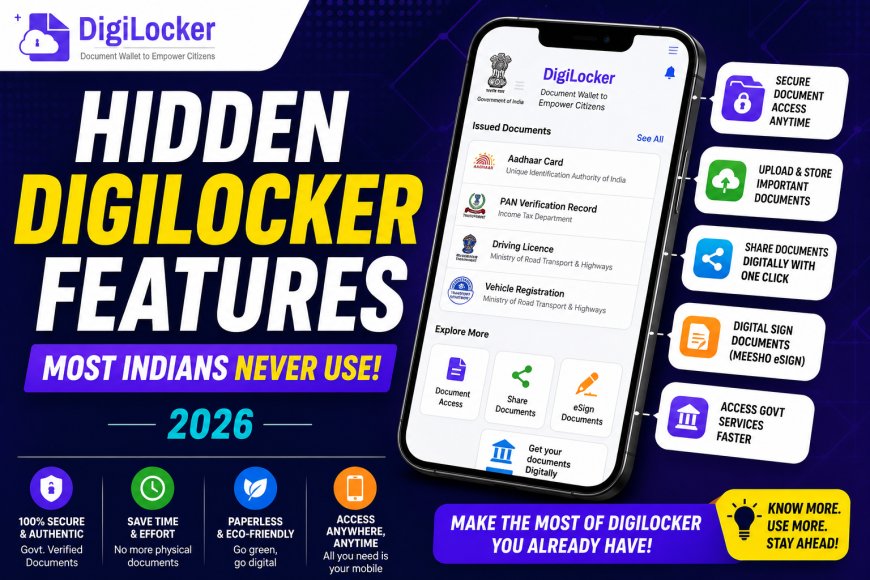
Most people know DigiLocker as an app to store Aadhaar, PAN card, or a driving licence. But very few realize that it offers many more useful features that can save time, reduce paperwork, and make accessing government documents much easier.
Developed under the Government of India's Digital India initiative, DigiLocker allows citizens to store, access, and share verified digital documents securely. If you're only using it as a digital wallet for a few IDs, you're missing out on some powerful features.
Here are 10 hidden DigiLocker features that every Indian should know in 2026.
1. Get Official Documents Directly From Government Departments
You don't always have to upload documents manually.
Many government departments and institutions issue verified digital documents directly to your DigiLocker account. These can include driving licences, vehicle registration certificates, marksheets, insurance records, and more.
Since these documents are issued electronically, they are considered authentic and easy to verify.
2. Access Your CBSE and Other Board Mark Sheets
Students can retrieve digital copies of their Class 10 and Class 12 marksheets, passing certificates, and migration certificates directly through DigiLocker.
Many universities and education boards also support digital document issuance, making admissions and job applications much easier.
3. Store All Important Documents in One Place
Apart from government-issued records, users can upload personal documents such as passports, insurance papers, medical records, property papers, or educational certificates.
This helps keep important files organized and accessible whenever needed.
4. Share Documents Securely Instead of Sending Photos
Instead of sharing blurry photos or scanned copies through messaging apps, DigiLocker allows users to share documents securely using digital links or document-sharing options.
This makes verification quicker and reduces the risk of document tampering.
5. Use Digital Driving Licence During Traffic Checks
Your digital Driving Licence (DL) and Registration Certificate (RC) stored in DigiLocker are accepted by many enforcement authorities during routine vehicle checks.
This means you don't always need to carry physical copies while travelling.
6. Verify Documents Instantly
Because many records are issued directly by authorized government departments, organizations can verify their authenticity much faster than traditional photocopies.
This is especially useful during admissions, recruitment, or official verification processes.
7. Easy Access Across Multiple Devices
Once your account is linked to your Aadhaar-linked mobile number, you can securely access your documents from different smartphones, tablets, or computers by logging into your DigiLocker account.
This ensures your documents remain available even if your phone is lost or replaced.
8. Useful During Job Applications
Many employers ask candidates to submit educational certificates, identity documents, and other records.
Instead of searching through physical files, DigiLocker lets you access and share verified documents within minutes, making the application process faster and more organized.
9. Reduces the Need for Physical Paperwork
Whether you're applying for scholarships, government schemes, or educational admissions, digital documents often reduce the need to carry multiple photocopies.
Using DigiLocker can simplify paperwork while helping keep your important records organized in one secure location.
10. Strong Security and Privacy Protection
DigiLocker uses secure login methods, encrypted storage, and OTP-based verification to help protect user data.
However, users should still avoid sharing OTPs or account credentials and should always log in through the official DigiLocker app or website.
Tips to Get the Most Out of DigiLocker
To use DigiLocker effectively:
- Link your Aadhaar and mobile number.
- Add all frequently used government documents.
- Upload important personal documents as backups.
- Keep your mobile number updated.
- Use only the official DigiLocker app and website.
These simple steps can make document management much easier.
Who Should Use DigiLocker?
DigiLocker is useful for almost everyone, including:
- Students
- Working professionals
- Government employees
- Job seekers
- Vehicle owners
- Senior citizens
- Frequent travellers
Anyone who regularly needs identity or educational documents can benefit from using the platform.
Final Thoughts
DigiLocker is much more than a digital storage app. It has evolved into a comprehensive document management platform that helps Indians securely access, store, and share important records whenever required. From verified educational certificates to digital driving licences and instant document sharing, its features can save time and reduce dependence on physical paperwork.
If you haven't explored these hidden features yet, now is a great time to make full use of one of the Government of India's most useful digital services.