












WhatsApp Stops Working on Old Phones: Check Your Android Version
WhatsApp has ended support for Android 5.0 and 5.1 phones from September 8, 2026. Check which phones are affected, how to check your Android version and what to do next.
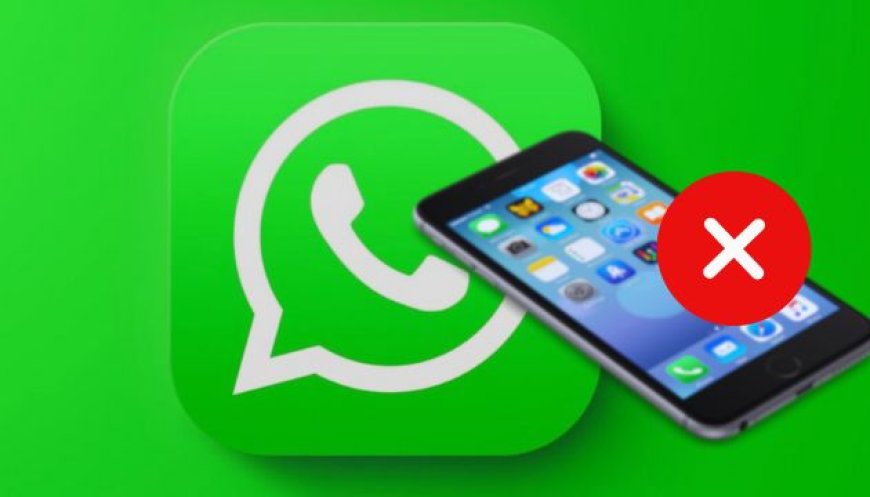
WhatsApp has officially ended support for some older Android smartphones, and millions of users with ageing devices may now need to check their phone's software version.
The change came into effect on September 8, 2026. WhatsApp now requires smartphones to run Android 6.0 or newer. This means devices that remain on Android 5.0 or Android 5.1 are no longer supported by the messaging platform.
The update is already attracting significant attention because WhatsApp is one of the most widely used messaging apps in India. Users who depend on WhatsApp for personal chats, business communication, payments, groups and media sharing should check their device before assuming that their phone is safe.
What Changed in WhatsApp From September 8?
WhatsApp regularly reviews the operating systems supported by its app.
According to the company's official Help Center, Android 5.0 and newer versions were previously supported. However, starting September 8, 2026, the minimum supported Android version has increased to Android 6.0.
In simple terms:
| Android Version | WhatsApp Status |
|---|---|
| Android 4.x and older | Not supported |
| Android 5.0 | ❌ No longer supported |
| Android 5.1 | ❌ No longer supported |
| Android 6.0 | ✅ Supported |
| Android 7 and newer | ✅ Supported |
So, having an old phone does not automatically mean WhatsApp has stopped working.
The important thing is the Android version installed on that phone.
Which Phones Are Affected?
The affected devices are smartphones that cannot be upgraded beyond Android 5.0 or 5.1.
Many of these phones were launched around a decade ago and have not received newer Android updates from their manufacturers.
Some reports have highlighted older models such as the Samsung Galaxy S4, Google Nexus 4 and LG G2 in discussions around devices that are unable to meet the new requirement. However, users should not rely only on a model-name list because the same model can sometimes have different software versions or regional variants.
The safest way to determine whether your phone is affected is to check its Android version directly.
How to Check Your Android Version
You can check your phone's software version in just a few steps.
On most Android phones:
- Open Settings.
- Scroll down and tap About Phone or About Device.
- Look for Android Version.
- Check the number displayed there.
If your phone shows Android 6.0 or higher, the September 8 WhatsApp cutoff does not affect you.
If it shows Android 5.0 or Android 5.1, the device is now below WhatsApp's minimum supported Android version.
The exact menu name can vary between Samsung, Xiaomi, Motorola, Oppo, Vivo, Realme and other manufacturers.
Why Has WhatsApp Ended Support?
WhatsApp says it periodically stops supporting older operating systems so it can keep up with new technology, features and security requirements.
Older operating systems may lack the technical capabilities needed for newer versions of applications.
They may also no longer receive important security updates from their manufacturers.
By reducing support for very old operating systems, WhatsApp can concentrate development and testing on newer platforms.
The company also says users are notified before their operating system stops being supported and are reminded to upgrade their device.
What Happens If Your Phone Is Still on Android 5?
If your smartphone cannot upgrade to Android 6.0 or newer, there is no permanent WhatsApp-side setting that can restore official support.
The first thing users should check is whether a software update is available for their phone.
Go to:
Settings → Software Update/System Update
If an official update can take the device to Android 6.0 or newer, installing it may resolve the compatibility issue.
However, if the manufacturer has stopped providing updates for the phone, users will eventually need to move to a newer supported device to continue using WhatsApp officially.
Don't Forget to Back Up Your WhatsApp Chats
Users who need to change their phone should take a backup of their WhatsApp data before switching devices.
This is particularly important for people who have years of conversations, photographs, videos and important documents stored in WhatsApp.
Android users can use WhatsApp's backup functionality to preserve their chat history before moving to another compatible phone.
It is better to complete the backup before the old device becomes unusable, rather than waiting until after the WhatsApp support issue becomes a problem.
What About iPhone Users?
iPhone users are not affected by the September 8 Android change.
However, WhatsApp has already announced a separate upcoming change for iPhones.
According to WhatsApp's official supported-operating-system information, from November 30, 2026, iPhones will need iOS 15.5 or newer.
So iPhone users currently on iOS 15.1 through iOS 15.4 should pay attention to the November deadline.
Unlike some old Android devices, an iPhone may simply need a software update if its hardware supports the required iOS version.
WhatsApp Business Is Also Affected
The Android 5.0 and 5.1 cutoff isn't limited to the standard WhatsApp Messenger application.
Reports on the change indicate that the new Android 6.0 minimum requirement also applies to WhatsApp Business.
This is particularly important for small businesses that use older smartphones for customer communication.
If the business phone is running Android 5.x, users should check its compatibility immediately and arrange a backup and device upgrade if necessary.
Will WhatsApp Stop Working Immediately?
For affected Android 5.0 and 5.1 devices, the official cutoff is already in effect from September 8, 2026.
Users should therefore not wait for a future deadline.
If the phone cannot be upgraded to Android 6.0 or later, moving WhatsApp to a supported device is the safest option.
What Should You Do Now?
If you are unsure whether your phone is affected, follow these steps:
Step 1: Check your Android version.
Step 2: If it is Android 6.0 or newer, no action is required because of this specific cutoff.
Step 3: If it is Android 5.0 or 5.1, check whether an official software update is available.
Step 4: If no compatible update exists, back up your WhatsApp chats.
Step 5: Move WhatsApp to a newer supported smartphone.
This approach is safer than relying on unofficial WhatsApp APKs or modified versions of the app.
Final Thoughts
WhatsApp has now ended official support for Android 5.0 and Android 5.1 from September 8, 2026. The minimum Android requirement is now Android 6.0, according to WhatsApp's own support documentation.
The key point for users is that not every old smartphone is affected. What matters is the Android version running on the device and whether the phone can officially upgrade to Android 6.0 or newer.
Android 5.x users should check their phones immediately, back up important WhatsApp data and upgrade their device if no compatible software update is available.
And iPhone users should also keep an eye on the November 30, 2026 deadline, when WhatsApp's minimum iOS requirement will move to iOS 15.5.