












Apple Pay Launches in India: Cards, Fees, Setup & How It Works
Apple Pay is finally available in India on iPhone, iPad and Apple Watch. Check supported Axis Bank cards, fees, setup process, security and how Apple Pay differs from UPI.
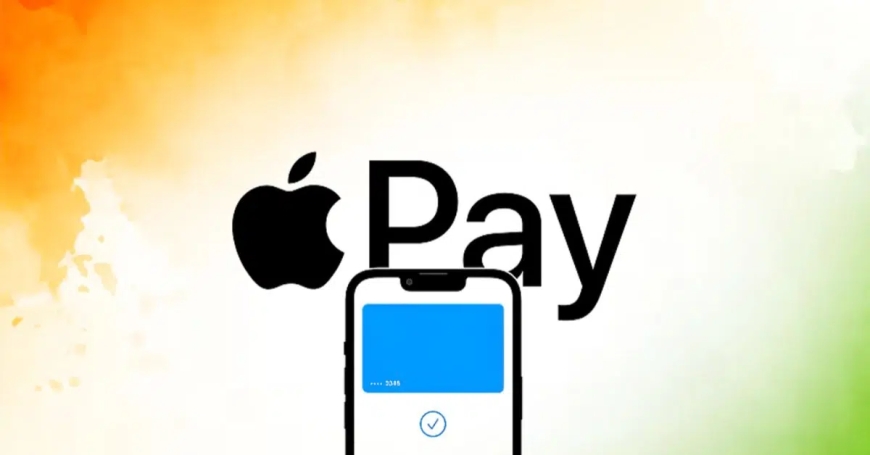
After years of anticipation, Apple Pay is officially available in India.
Apple announced on September 30, 2026, that users in India can now use Apple Pay on iPhone, iPad and Apple Watch. Support for Mac is coming soon. The launch allows users to make contactless payments in stores as well as payments inside apps and on websites where Apple Pay is accepted.
The initial launch is being rolled out in partnership with Axis Bank, Visa and Mastercard.
For now, the service supports Axis Bank-issued Visa and Mastercard credit cards. More banks and cards are expected to be added in the future, but Apple has not announced a complete timeline for those additions.
Which Cards Work With Apple Pay in India?
At launch, Apple Pay has a relatively limited card lineup.
Currently supported are:
- Axis Bank Visa credit cards
- Axis Bank Mastercard credit cards
RuPay cards are not supported at launch.
Apple has previously worked with thousands of banks and payment partners globally, but India's initial rollout is much smaller.
Reports indicate Apple has been in discussions with other major Indian banks, including HDFC Bank and ICICI Bank, but agreements had not been finalised at the time of launch.
This means an iPhone user with an HDFC, ICICI, SBI or another bank card may not be able to add that card to Apple Pay immediately.
Is Apple Pay Free in India?
For consumers, Apple does not charge a fee for using Apple Pay.
Apple's official Apple Pay information states that there is no additional Apple fee when customers use Apple Pay in stores, online or inside apps.
However, normal charges associated with the underlying credit card can still apply.
For example, if your bank charges foreign-exchange fees, late-payment charges or other card-related fees, Apple Pay does not remove those charges.
In simple terms, Apple Pay itself does not add a payment fee.
How to Set Up Apple Pay on iPhone
Setting up Apple Pay is relatively straightforward if you have an eligible card.
Step 1: Open Apple Wallet
Open the Wallet app on your iPhone.
Step 2: Tap the Plus Button
Tap the “+” button to add a new card.
Step 3: Add Your Eligible Card
Select the option to add your credit card and follow the instructions.
Depending on the issuer, you may also be able to add the card through the bank's app.
Step 4: Verify Your Card
Your bank or card issuer may ask you to complete an authentication or verification process.
Step 5: Start Using Apple Pay
Once the card has been approved, it will appear in Apple Wallet and can be used for eligible Apple Pay transactions.
Apple's Wallet instructions also provide options for adding cards on Apple Watch and iPad.
How to Pay With Apple Pay
Using Apple Pay at a compatible contactless terminal is designed to be quick.
On an iPhone with Face ID, users can generally double-click the side button, authenticate with Face ID or the device passcode and then hold the iPhone near the contactless reader.
Apple Watch users can authenticate using the device's payment functionality and hold the watch near the terminal.
Apple says Apple Pay transactions can be authenticated using Face ID, Touch ID or the device passcode, depending on the device.
The key difference is that users don't need to physically hand over their card or enter the card PIN at the checkout when the payment terminal and transaction support Apple Pay.
Where Can Apple Pay Be Used?
Apple Pay can be used in several different ways.
In Stores
At participating contactless payment terminals, users can tap their iPhone or Apple Watch to pay.
Inside Apps
Apple Pay can also be used as a payment option inside supported apps.
On Websites
Supported websites can offer Apple Pay during checkout, allowing customers to complete purchases without manually entering their card details.
Apple says its payment service is accepted on millions of websites and apps globally.
The availability of Apple Pay at a particular merchant still depends on whether that merchant's payment system supports the service.
Is Apple Pay the Same as UPI?
No.
This is one of the most important things Indian users need to understand.
Apple Pay's initial Indian launch is based on eligible credit cards, whereas UPI works through India's bank-account-based instant payment infrastructure.
Apple Pay therefore isn't being launched as an alternative UPI app.
Instead, the Indian version initially allows supported cardholders to use their eligible credit cards through Apple's Wallet and contactless payment system.
For example, if you have an eligible Axis Bank Visa credit card, Apple Pay allows you to add that card to your iPhone and use the iPhone or Apple Watch to make supported payments.
Apple Pay vs UPI: What's the Difference?
| Feature | Apple Pay | UPI |
|---|---|---|
| Initial India support | Axis Bank Visa/Mastercard credit cards | Bank accounts |
| Contactless tap | Yes | Depends on the payment method/device |
| Credit card based | Yes, at launch | Some UPI-linked credit card options exist separately |
| Bank-account payment | Not the initial Apple Pay model | Yes |
| QR payments | Not the primary Apple Pay experience | Core feature |
| Apple Wallet integration | Yes | Separate UPI apps/services |
| iPhone support | Yes | Yes |
| Apple Watch support | Yes | Varies by UPI app/service |
The two systems therefore serve different payment use cases rather than being identical services.
How Apple Pay Protects Your Card Details
Security is one of Apple's main selling points for Apple Pay.
When you add an eligible card, Apple does not simply store your actual card number on the device and send it to every merchant.
Instead, Apple Pay uses a device-specific account number and transaction-specific security information to help protect the underlying card details.
Apple says that when customers pay in stores, neither Apple nor the device sends the actual card number to the merchant.
Transactions are also authenticated using the device's security system, such as Face ID, Touch ID or the passcode.
What Happens If Your iPhone Is Lost?
Apple Pay is designed so that the physical device can be protected with Apple's security features.
Because payments require device authentication, simply having the iPhone does not automatically give someone unrestricted access to the cards stored in Wallet.
Users can also use Apple's device-management tools to take action if a device is lost or stolen.
This is one of the reasons Apple positions Apple Pay as a more private and secure way of using existing payment cards.
Apple Pay Is Arriving in a UPI-Dominated Market
Apple's India launch is significant because the country already has one of the world's largest digital-payment ecosystems.
UPI processed almost 25 billion transactions worth more than ₹30 trillion in August 2026, according to Reuters, and accounted for about 84% of digital payments by volume.
That makes Apple's decision to launch a card-based payment service particularly interesting.
Instead of attempting to replace India's dominant UPI system, Apple is entering through its established global Apple Pay model.
The initial partnership with Axis Bank gives Apple a starting point while the company works toward expanding card and bank support.
Why Apple Pay's India Launch Matters
Apple Pay has been available in numerous international markets for years, making its arrival in India a long-awaited development for many Apple users.
For Indian iPhone owners, the service provides another way to use supported payment cards without physically carrying the card.
It also brings Apple's Wallet-based payment experience to one of the world's largest smartphone and digital-commerce markets.
For banks and payment networks, Apple Pay creates another digital channel through which customers can use their cards.
More Banks Could Be Added Later
The biggest limitation at launch is the relatively small number of supported cards.
Only eligible Axis Bank Visa and Mastercard credit cards are currently supported.
Apple's global Apple Pay network includes a much larger range of banking partners, and the company says more banks and cards are added over time.
Whether and when major Indian banks such as HDFC Bank, ICICI Bank and SBI join Apple Pay will be an important next development.
For now, customers with unsupported cards will need to continue using their existing payment methods.
Apple Pay on Apple Watch, iPad and Mac
Apple Pay is not limited to the iPhone.
At launch in India, Apple Pay works on:
- iPhone
- iPad
- Apple Watch
Apple says Mac support is coming soon.
The exact payment experience varies by device, but the underlying idea remains the same: use a securely stored eligible payment card rather than manually entering card information for every transaction.
Apple Pay India Launch: Key Details
Launch date: September 30, 2026
Available on: iPhone, iPad and Apple Watch
Mac: Coming soon
Supported bank at launch: Axis Bank
Supported networks: Visa and Mastercard
Supported cards: Eligible Axis Bank credit cards
RuPay: Not supported at launch
Consumer Apple Pay fee: None
Payment types: In-store, in-app and online payments where Apple Pay is accepted
Authentication: Face ID, Touch ID or device passcode, depending on device
Final Thoughts
The Apple Pay launch in India on September 30, 2026 marks a major expansion of Apple's financial-services ecosystem into one of the world's biggest digital-payment markets.
For now, the launch is deliberately limited: eligible Axis Bank Visa and Mastercard credit cards are supported, while RuPay and cards from many other Indian banks are not yet available.
The biggest attraction for existing Apple users is convenience. Instead of carrying the physical card, an eligible card can be securely added to Apple Wallet and used through an iPhone or Apple Watch at supported contactless terminals.
Apple Pay also doesn't charge consumers an additional Apple fee for making payments.
The next major question will be how quickly Apple expands support to more Indian banks and card networks.
For now, one thing is clear: Apple Pay has finally arrived in India.
FAQs
When did Apple Pay launch in India?
Apple Pay officially launched in India on September 30, 2026.
Which bank cards support Apple Pay in India?
At launch, eligible Axis Bank Visa and Mastercard credit cards are supported.
Does Apple Pay support RuPay cards?
No. RuPay cards are not supported in the initial Indian launch.
Does Apple Pay charge a fee?
Apple does not charge consumers a separate fee for using Apple Pay. Normal fees associated with the underlying card may still apply.
Can Apple Pay be used on Apple Watch in India?
Yes. Apple Watch is supported at launch.
Is Apple Pay the same as UPI?
No. Apple Pay's initial Indian service is based on supported payment cards, while UPI is India's bank-account-based instant payment system.
Can I use Apple Pay without an Axis Bank card?
At launch, Apple Pay's Indian card support is limited to eligible Axis Bank Visa and Mastercard credit cards. More card issuers may be added later.