














10 Best Chrome Extensions That Will Make Your Work Much Easier in 2026
Discover the 10 best Google Chrome extensions to boost productivity in 2026. From AI writing assistants to password managers and tab organizers, these free and useful Chrome extensions can help you work faster, stay organized, and save valuable time every day.
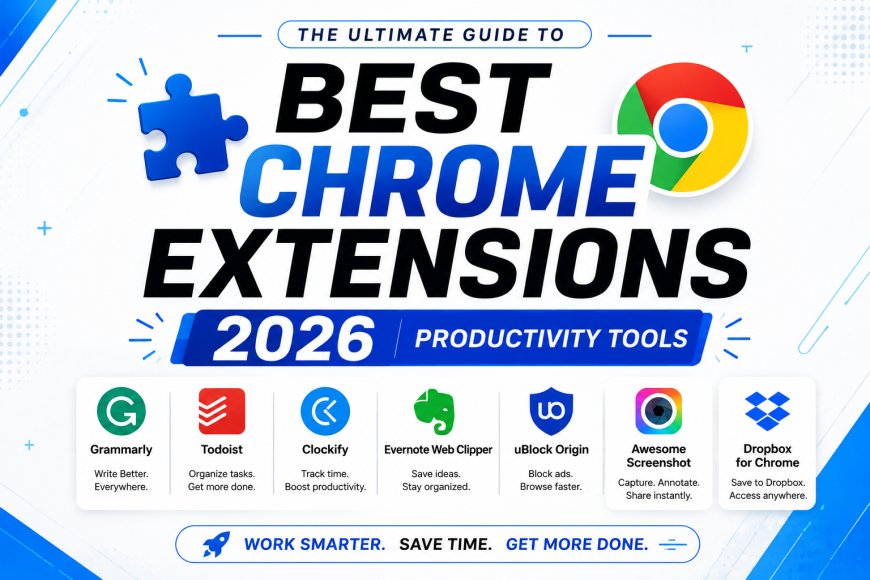
Whether you work from home, study online, manage a business, or simply spend hours browsing the internet, the right Chrome extensions can save you a surprising amount of time. Instead of switching between multiple websites or repeating the same tasks every day, these browser tools help automate routine work, improve productivity, and make your overall browsing experience much smoother.
In 2026, artificial intelligence and smart automation have become an important part of everyday work. Chrome extensions are no longer limited to blocking ads or checking grammar—they now help users summarize articles, manage passwords, organize tabs, capture screenshots, and even write emails in seconds.
If you're looking for simple yet powerful tools that can improve your daily workflow, here are ten Chrome extensions worth installing.
1. Grammarly – Write Without Worry
Grammarly remains one of the most useful Chrome extensions for anyone who writes emails, reports, social media posts, or documents every day. It automatically checks spelling, grammar, punctuation, and sentence clarity while you type.
The extension also suggests improvements to make your writing sound more professional and easier to understand. Whether you're a student, freelancer, or office professional, Grammarly can help reduce writing mistakes and improve communication.
2. ChatGPT Sidebar – AI Assistance Inside Your Browser
AI has become a major productivity tool, and ChatGPT browser extensions allow users to access AI assistance without constantly opening a separate website.
You can quickly summarize webpages, draft emails, generate content ideas, explain complex topics, or rewrite text directly while browsing. For professionals who work with research, writing, or customer communication, this extension can save valuable time every day.
3. Bitwarden – Keep Your Passwords Safe
Managing dozens of passwords is never easy. Bitwarden is a reliable password manager that securely stores login credentials and automatically fills them whenever needed.
Instead of remembering multiple passwords or writing them down, users only need one secure master password. It also helps generate strong passwords to improve online security.
4. Momentum – Make Every New Tab More Productive
Every time you open a new browser tab, Momentum replaces the default page with a clean dashboard featuring your daily goals, inspirational quotes, weather updates, and a personal task list.
It helps reduce distractions and encourages better focus throughout the day. For people who often lose track of their priorities, this simple extension can become a powerful productivity companion.
5. OneTab – Reduce Browser Clutter
Many people work with dozens of browser tabs open at the same time, which often slows down Chrome and makes it difficult to find important pages.
OneTab solves this problem by converting all open tabs into a single organized list. Whenever you need a webpage again, you can restore it with one click. Besides improving organization, the extension can also reduce memory usage and improve browser performance.
6. Loom – Record Your Screen Instantly
Instead of writing long explanations through email or chat, Loom allows users to record their screen along with voice narration.
It is especially useful for remote teams, teachers, trainers, and customer support professionals who need to explain processes quickly. After recording, Loom instantly generates a shareable link, making collaboration much easier.
7. Dark Reader – Protect Your Eyes During Long Browsing Sessions
If you spend several hours every day in front of a computer screen, Dark Reader is a valuable extension to install.
It automatically applies dark mode to websites that don't officially support it, helping reduce eye strain, especially while working at night. Users can also adjust brightness, contrast, and font settings according to their preferences.
8. ColorZilla – A Must-Have Tool for Designers
Graphic designers, web developers, and digital marketers often need to identify colors from websites.
ColorZilla works like an advanced color picker, allowing users to copy exact color codes from any webpage instantly. It saves time during website development, graphic design, branding projects, and UI design work.
9. Google Keep Chrome Extension – Save Ideas Instantly
Interesting ideas can appear at any moment while browsing the internet.
The Google Keep extension allows users to save webpages, notes, checklists, and reminders with a single click. Everything is automatically synchronized across devices, making it easy to access important information later from your smartphone or computer.
For students and researchers, this extension becomes an excellent tool for organizing online resources.
10. uBlock Origin – Browse Faster Without Annoying Ads
Online advertisements can slow down websites and interrupt your browsing experience.
uBlock Origin is one of the most trusted content-blocking extensions available for Chrome. It helps webpages load faster by blocking unnecessary ads and trackers while giving users more control over what appears on their screen.
Many users also appreciate the cleaner browsing experience, particularly when reading long articles or conducting research.
Which Chrome Extension Should You Install First?
The answer depends on how you use your browser. If your work mainly involves writing, Grammarly and AI-powered writing tools are excellent choices. If security is your priority, Bitwarden is difficult to ignore. People who regularly multitask with many browser tabs will likely benefit most from OneTab, while designers and developers may find ColorZilla indispensable.
There is no single extension that suits everyone. The best approach is to install only the tools that genuinely improve your workflow instead of filling your browser with unnecessary add-ons.
Final Thoughts
Chrome extensions have evolved into essential productivity tools rather than optional browser add-ons. The right combination can help you write better, organize your work, manage passwords securely, collaborate more efficiently, and browse the web with fewer distractions.
Whether you're a student, business owner, freelancer, software developer, or office employee, these Chrome extensions can simplify everyday tasks and save valuable time throughout 2026. Instead of working harder, choosing the right browser tools can help you work smarter and stay more productive every day.