














10 AI Websites That Can Do Your Daily Work in Minutes (2026 Edition)
Save hours every day with these 10 powerful AI websites. From writing emails and resumes to coding, research, PDFs, meetings, voice generation, and notes, these AI tools can boost your productivity in 2026.
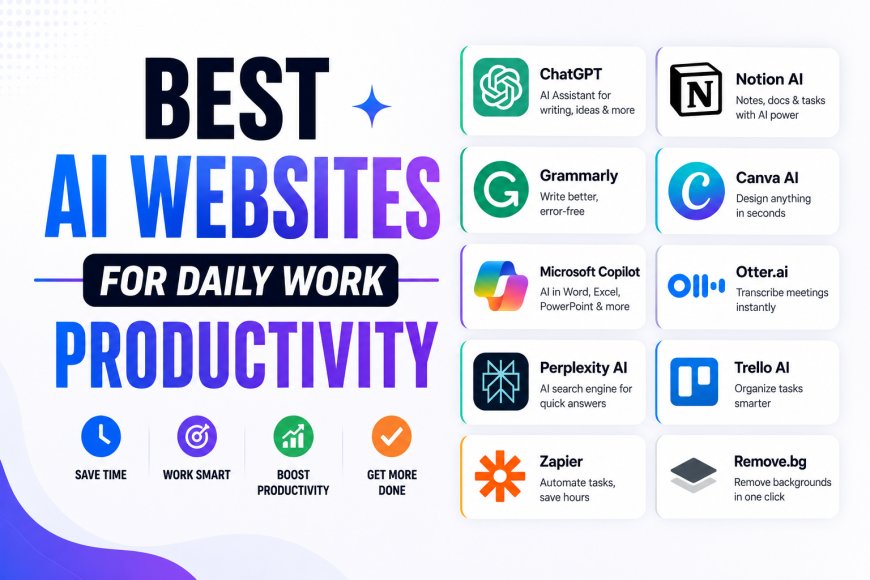
Artificial Intelligence is no longer just a futuristic technology—it's now helping millions of people finish everyday work in minutes instead of hours. Whether you're writing emails, preparing presentations, building resumes, researching information, summarizing PDFs, coding websites, or attending online meetings, AI can significantly improve your productivity.
The best part is that many powerful AI websites are either completely free or offer generous free plans. If you're looking to save time and work smarter in 2026, here are ten AI websites that deserve a place in your daily workflow.
1. ChatGPT – Your Everyday AI Assistant
ChatGPT remains one of the most versatile AI tools available today. It can write emails, explain difficult topics, generate blog ideas, translate languages, create social media captions, and even help solve technical problems.
Students, professionals, marketers, business owners, and freelancers use it daily to complete tasks much faster.
Best for
- Writing
- Brainstorming
- Learning
- Content creation
2. Perplexity AI – Smarter Online Research
Instead of searching through dozens of websites, Perplexity AI provides direct answers backed by multiple online sources.
It's an excellent tool for researchers, students, journalists, and professionals who need quick yet reliable information without spending hours browsing Google.
Best for
- Research
- Fact checking
- Latest information
- Study assistance
3. Canva AI – Design in Minutes
Creating presentations, Instagram posts, YouTube thumbnails, business flyers, or invitations has become much easier with Canva AI.
Its Magic Design and AI image tools allow users to generate professional-looking graphics even without design experience.
Best for
- Graphic design
- Presentations
- Social media
- Marketing materials
4. Grammarly – Write Better Emails and Documents
Grammarly has evolved far beyond grammar correction.
Its AI now helps rewrite sentences, improve tone, shorten long paragraphs, generate email replies, and make business communication more professional.
Whether you're writing job applications or client emails, Grammarly saves valuable editing time.
Best for
- Emails
- Reports
- Business writing
- Grammar improvement
5. Resume.io – Build Professional Resumes Quickly
Creating a modern resume no longer requires advanced design skills.
Resume.io uses AI-assisted templates that help job seekers prepare ATS-friendly resumes within minutes. Users simply enter their experience, and the platform organizes everything professionally.
Best for
- Resume creation
- CV updates
- Job applications
- Career documents
6. Notion AI – Organize Notes Automatically
Notion AI is becoming one of the most useful productivity assistants.
It summarizes meeting notes, organizes ideas, generates project plans, writes documents, and creates task lists automatically.
For professionals managing multiple projects, it acts like a personal digital assistant.
Best for
- Notes
- Planning
- Project management
- Document writing
7. Claude – Long Documents Made Simple
Claude is especially useful for people who regularly work with lengthy reports, research papers, contracts, and business documents.
It can summarize large files, answer questions about uploaded documents, and explain complicated topics in simple language.
Best for
- PDF analysis
- Document summaries
- Business reports
- Research papers
8. GitHub Copilot – AI for Developers
Programmers spend less time writing repetitive code thanks to GitHub Copilot.
The AI suggests code, completes functions, detects errors, explains programming logic, and improves development speed across multiple programming languages.
It's now widely used by beginners as well as experienced software developers.
Best for
- Coding
- Debugging
- Programming
- Software development
9. Otter.ai – Never Miss Meeting Notes Again
Taking notes during online meetings can be difficult.
Otter AI automatically records conversations, converts speech into text, identifies speakers, and generates searchable meeting summaries.
This makes it ideal for remote teams, students, journalists, and business professionals.
Best for
- Meeting transcription
- Voice-to-text
- Online classes
- Interviews
10. ElevenLabs – Realistic AI Voice Generator
Need professional voiceovers without hiring a voice artist?
ElevenLabs creates incredibly natural AI voices in multiple languages and accents. It is widely used by YouTubers, educators, audiobook creators, marketers, and businesses producing audio content.
Best for
- Voiceovers
- Podcasts
- Videos
- Audiobooks
How AI Is Changing Everyday Work
AI is no longer replacing only repetitive tasks—it is helping people make faster decisions, organize information, automate communication, and improve creativity.
Instead of spending hours writing reports or searching for information, professionals can now focus on higher-value work while AI handles routine tasks. Businesses of every size are increasingly adopting AI to improve efficiency and reduce manual effort.
Should You Pay for AI Tools?
Most of the AI websites listed above offer free versions that are powerful enough for everyday users.
If you frequently work with large documents, advanced coding projects, professional design, or high-volume content creation, upgrading to a premium plan may unlock faster performance and additional features. However, beginners can comfortably start with the free plans before deciding whether a paid subscription is necessary.
Final Thoughts
Artificial Intelligence has become one of the biggest productivity boosters of 2026. Whether you want to build a resume, write emails, summarize PDFs, conduct research, generate realistic voices, organize meeting notes, or speed up software development, there's now an AI website designed specifically for the job.
Learning to use these tools effectively doesn't just save time—it also improves the quality of your work. As AI continues evolving, professionals who embrace these platforms early are likely to gain a significant advantage in both their careers and daily productivity.