













Google Chrome Gets Smarter in 2026: 7 New Features You Should Start Using Today
Google Chrome is becoming smarter with AI-powered tools, improved security, faster browsing, and productivity features. Discover the 7 best Chrome features you should start using in 2026.
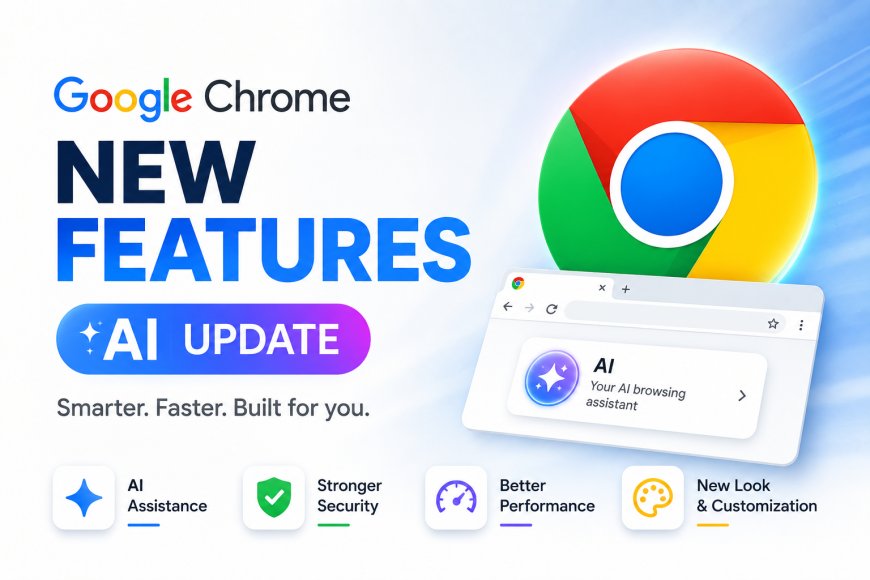
Google Chrome remains the world's most popular web browser, but in 2026 it is becoming much more than a simple tool for opening websites. Google has been steadily introducing smarter features powered by artificial intelligence, stronger security systems, and better productivity tools designed to make everyday browsing faster and safer.
Whether you're a student attending online classes, a professional working remotely, or someone who simply spends hours browsing the internet, the latest Chrome features can help you save time and improve your overall experience. Here are seven powerful Chrome features that every user should know about in 2026.
1. AI Can Summarize Long Web Pages in Seconds
Reading lengthy articles, reports, or research papers can be time-consuming. Chrome is gradually introducing AI-powered tools that help users understand long pages much faster.
Instead of reading every paragraph, users can quickly view important highlights, summaries, and key points before deciding whether to read the complete article. This feature is especially useful for students, researchers, and professionals who regularly work with online content.
2. Built-In AI Writing Assistant Makes Typing Easier
Writing emails, replying to messages, or filling online forms has become easier with Chrome's AI writing assistance.
The browser can help users rewrite sentences, improve grammar, change writing tone, and generate better responses directly while browsing. Instead of switching between multiple AI tools, users can complete everyday writing tasks much more efficiently.
3. Stronger Security Against Online Threats
Cyber scams continue to increase every year, making browser security more important than ever.
Chrome now offers improved protection against dangerous websites, fake login pages, harmful downloads, and phishing attacks. Enhanced Safe Browsing works continuously in the background, helping users avoid suspicious websites before personal information is exposed.
For anyone using online banking or shopping websites, this added protection provides extra peace of mind.
4. Memory Saver Improves Browser Performance
One of the biggest complaints about Chrome has always been its memory usage.
Google's Memory Saver feature automatically reduces the memory consumed by inactive tabs. This allows laptops and older computers to run much more smoothly, even when dozens of tabs remain open.
Users who multitask throughout the day will notice faster browser performance without constantly closing tabs.
5. Energy Saver Extends Laptop Battery Life
For laptop users, battery life can make a huge difference during work or travel.
Chrome's Energy Saver mode automatically reduces background activity, limits unnecessary animations, and optimizes browser performance whenever battery levels become low.
This simple feature helps users continue working longer without immediately searching for a charger.
6. Better Password Protection and Passkey Support
Managing passwords has become easier and more secure.
Chrome now encourages users to adopt passkeys alongside traditional passwords, offering stronger protection against hacking attempts. The browser can also detect weak or reused passwords, suggest secure replacements, and automatically alert users if their saved credentials appear in known data breaches.
These improvements significantly strengthen online account security.
7. Smarter Tab Organization for Busy Users
Many people keep dozens of tabs open while working, studying, or researching.
Chrome's improved tab management tools help users organize related tabs into groups, search open tabs instantly, and reopen recently closed pages with ease. New AI-powered suggestions can even recommend grouping similar tabs together, making browsing much less cluttered.
For heavy internet users, this feature improves both productivity and focus.
How Chrome Is Becoming More Than a Browser
Google is gradually transforming Chrome into a complete productivity platform rather than simply a web browser.
With artificial intelligence integrated into writing, browsing, security, and organization, Chrome now helps users complete everyday digital tasks faster without requiring multiple third-party extensions or applications.
The browser continues evolving alongside Google's wider AI ecosystem, making it smarter with every update.
Should You Update Chrome Regularly?
Many users postpone browser updates without realizing they miss important improvements.
Keeping Chrome updated ensures access to the latest security patches, AI-powered features, faster browsing performance, and compatibility with modern websites. Regular updates also protect users against newly discovered security vulnerabilities that cybercriminals often attempt to exploit.
Enabling automatic updates remains the safest option for most users.
Why These Features Matter in Everyday Life
The latest Chrome improvements are designed for real-world usage rather than technical enthusiasts alone.
Students can research faster, professionals can write emails more efficiently, businesses benefit from improved security, and casual users enjoy smoother browsing with longer battery life. Instead of adding complicated new tools, Google is making common tasks simpler and more intelligent.
Conclusion
Google Chrome is steadily evolving into one of the smartest browsers available today. From AI-assisted writing and instant webpage summaries to stronger security, better memory management, and improved battery efficiency, the browser now offers far more than basic web browsing.
If you haven't updated Chrome recently, you're likely missing several features that can make your daily online experience faster, safer, and more productive. As Google continues expanding AI across its products, Chrome is expected to become an even more powerful digital assistant throughout 2026.