










ColorOS 17 AI Features: Eligible Phones & India Update
Explore ColorOS 17 AI features, including AI Mind Pilot, AI Photo Agent and AI Mind Space. Check OPPO’s India rollout schedule and supported phones.
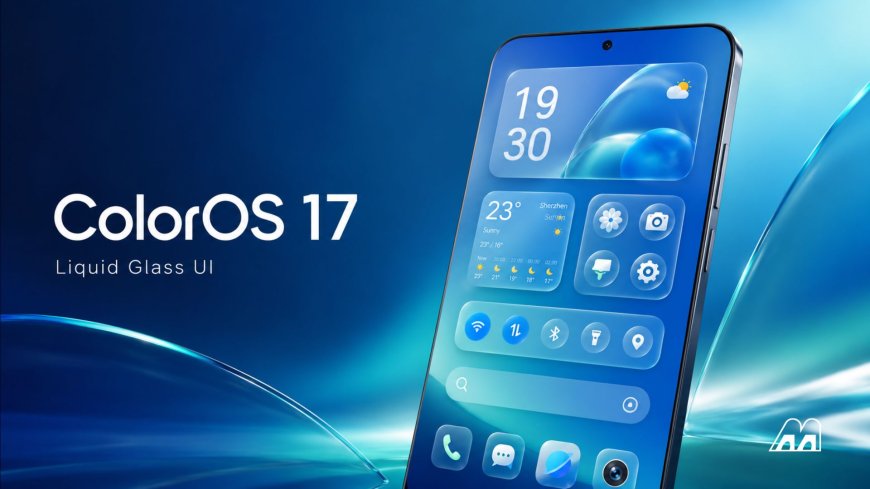
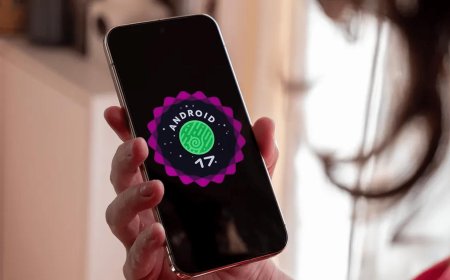
OPPO has officially unveiled ColorOS 17, bringing a redesigned interface, expanded artificial intelligence capabilities and performance improvements to its smartphone software. Announced globally on October 13, 2026, the new operating system is set to debut with the upcoming OPPO Find X10 Series before rolling out to eligible devices in phases.
The ColorOS 17 AI features are among the biggest highlights of the update. These include AI Mind Pilot with a new Agent Mode, AI Photo Agent for intelligent image editing, AI Mind Space for organising saved information, and AI-powered tools designed to make everyday tasks easier.
For Indian users, two questions matter most: which AI features are officially announced, and which OPPO phones are scheduled to receive the update?
Here is a detailed guide based on OPPO's official announcements and its published India rollout schedule, separating confirmed features and eligible devices from expectations that still require confirmation.
1. What Is ColorOS 17?
ColorOS 17 is OPPO's latest generation of smartphone software, built around a smoother interface and more integrated AI capabilities.
The update introduces what OPPO calls its Living Flow Design, with more fluid animations, translucent visual elements and touch responses designed to make navigation feel more natural.
It also introduces enhancements to system performance through the Laminar Flow Engine. OPPO says its internal testing recorded up to 55% more stable app launches, up to 50% faster first-launch Gallery thumbnail loading and over 25% higher app retention in the background compared with ColorOS 16.
These figures are based on OPPO's own tests, so actual results may vary depending on the device, software version, usage and other conditions.
The larger change is the expansion of system-level AI. Instead of limiting AI to answering questions or editing photographs, ColorOS 17 aims to help users organise information, complete multi-step tasks and access useful information at the right time.
2. ColorOS 17 AI Features: What's New?
The following features have been officially announced by OPPO. However, their availability can differ by phone model, region, software version and supported services.
<box gap={3}> <row align=start gap={3}> <AsyncImage query="OPPO ColorOS 17 AI Mind Pilot Agent Mode smartphone interface official promotional image" aspectRatio="3:4" maxWidth="112px" /> <box flex="1" gap={1}> **AI Mind Pilot with Agent Mode**
  This is one of the major additions in ColorOS 17. It can work with files and photos stored on the phone, organise content, search across information sources and help complete multi-step tasks. OPPO says it initially supports Manus and ChatGPT for the Agent Mode experience.
</box>
</row> <divider color="subtle" /> <row align=start gap={3}> <AsyncImage query="OPPO ColorOS 17 AI Photo Agent photo editing Style Match official promotional image" aspectRatio="3:4" maxWidth="112px" /> <box flex="1" gap={1}> **AI Photo Agent**
  Users can describe desired photo edits in natural language, request editing suggestions or provide a reference image to guide the style. The feature is designed to simplify adjustments to tone, lighting and composition.
</box>
</row> <divider color="subtle" /> <row align=start gap={3}> <AsyncImage query="OPPO ColorOS 17 AI Mind Space saved information memory collections official promotional image" aspectRatio="3:4" maxWidth="112px" /> <box flex="1" gap={1}> **AI Mind Space**
  This feature helps users save and organise information from supported content. ColorOS 17 adds Memory Collections, which can group related saved information into structured collections and summaries.
</box>
</row> <divider color="subtle" /> <row align=start gap={3}> <AsyncImage query="OPPO ColorOS 17 AI Mind Suggest travel flight reminders smartphone official promotional image" aspectRatio="3:4" maxWidth="112px" /> <box flex="1" gap={1}> **AI Mind Suggest**
  It can surface relevant information and reminders, including supported travel updates and journey information. Availability of particular services depends on the country, device and software configuration.
</box>
</row> <divider color="subtle" /> <row align=start gap={3}> <AsyncImage query="OPPO ColorOS 17 OSee visual AI camera object recognition translation official promotional image" aspectRatio="3:4" maxWidth="112px" /> <box flex="1" gap={1}> **OSee Visual AI**
  OSee connects what the camera sees with relevant AI tools, such as object recognition, information lookup, scanning and translation. The available tools may vary by region and supported services.
</box>
</row> </box>
These are announced capabilities, not a guarantee that every feature will be available on every ColorOS 17 phone from the first day of the update.
3. AI Mind Pilot: Turning Instructions Into Actions
AI Mind Pilot receives a major upgrade with Agent Mode, designed to go beyond answering individual questions.
For example, a user could ask it to organise information for an upcoming trip. The system may locate relevant travel documents and photos, arrange files according to their content and help turn the information into a structured itinerary.
It can also organise photos into albums based on places, people or other relevant details, and help create content such as a vlog cover from a selected photograph.
OPPO says Agent Mode initially supports Manus and ChatGPT. The experience may require account access, and complimentary usage limits can apply.
Privacy is also an important consideration. OPPO says the feature can process supported files and photos on the device for certain tasks without sending the original files to third-party AI services. If an external upload is required, the company says it requests the user's explicit authorisation first.
The exact capabilities will depend on supported services, device compatibility and software implementation.
4. AI Photo Agent: Smarter Photo Editing
AI Photo Agent is designed for users who want to edit photographs without navigating complicated editing controls.
Its announced capabilities include:
-
Natural-language editing requests.
-
Suggestions for adjustments based on the image.
-
Style matching using a reference photograph.
-
Changes to the overall tone, lighting and visual appearance.
For example, users may provide a reference image and ask the AI to apply a similar colour palette or mood to another photograph.
This could make basic creative editing easier for everyday users. However, results will depend on the input image, the requested changes and the supported device software.
OPPO has also indicated that AI Photo Agent will roll out gradually across regions. Its availability should therefore be checked on the specific device rather than assumed from the operating-system version alone.
5. AI Mind Space and Memory Collections
AI Mind Space is intended to act as a personal information hub. It can bring together supported saved content, including notes, images and documents, so users can find related information more easily.
ColorOS 17 adds the ability to save supported documents and video links, with AI helping interpret their content. Memory Collections can then organise related information into useful groups.
For instance, saved travel ideas, location details and relevant documents could be brought together to help a user plan a trip.
The feature is most useful when information is spread across different types of content. Instead of searching manually through multiple saved items, users can use the system's organisation and retrieval capabilities.
Some functions may depend on supported services, software versions and regional availability.
6. Other AI Features: OSee, AI Call Guard and Live Interpreter
Beyond the main AI tools, ColorOS 17 includes several additional capabilities.
OSee: This visual AI experience can connect the camera's view to supported tools such as object recognition, information lookup, nutrition analysis, scanning and translation.
AI Call Guard: OPPO describes this as an AI-powered safety feature that can identify potential fraud risks, including suspicious AI-generated voices and face-swap-related threats. OPPO lists India among the regions where AI Call Guard is available, though availability on a particular device still needs to be checked.
AI Live Interpreter: This feature supports real-time conversation translation through compatible earbuds. OPPO says it works with OPPO Enco X4 or OnePlus Buds Pro 4 earbuds paired with select OPPO or OnePlus phones running ColorOS 17.
Synthetic Voice Recognition: OPPO also describes technology intended to detect AI-generated voices during phone calls and WhatsApp calls. Exact availability may depend on the device, region and software implementation.
These features should not be treated as universal functions across all phones receiving ColorOS 17.
7. ColorOS 17 Supported Phones in India: Official Rollout Schedule
OPPO has published a phased India rollout schedule. The following devices appear in the company's announced schedule, grouped by the planned rollout period.
The dates are rollout windows, not a promise that every listed handset will receive the update simultaneously. Actual availability may depend on the model, region and software configuration.
<box border radius="lg" padding={3} gap={3}> <box gap={1}> <title size="md">October 2026</title> <text color="secondary" size="sm">First scheduled rollout group</text> - OPPO Find N6 - OPPO Find N5 - OPPO Find X9 Ultra - OPPO Find X9s - OPPO Find X9 Pro - OPPO Find X9 - OPPO Find X8 Pro - OPPO Find X8 - OPPO Reno16 Pro 5G - OPPO Reno16 5G - OPPO Reno16c 5G - OPPO Reno16 FS 5G - OPPO Reno16 F 5G </box> <divider color="subtle" /> <box gap={1}> <title size="md">November 2026</title> - OPPO Find N3 and Find N3 Flip - OPPO Reno15 Pro Max 5G - OPPO Reno15 Pro 5G - OPPO Reno15 Pro Mini 5G - OPPO Reno15 5G - OPPO Reno15 FS 5G - OPPO Reno15 F 5G - OPPO Reno15c 5G - OPPO Reno15 A - OPPO Reno14 Pro 5G - OPPO Reno14 5G - OPPO Reno14 5G Diwali Edition - OPPO Reno14 FS 5G - OPPO Reno14 F 5G - OPPO Reno14 F Dark Side Limited Edition - OPPO K14x 5G and K14 5G - OPPO K13x 5G - OPPO F33 5G - OPPO F31 5G - OPPO F29 5G </box> <divider color="subtle" /> <box gap={1}> <title size="md">Q1 2027</title> - OPPO Find N2 Flip - OPPO Reno12 Pro 5G - OPPO Reno12 Pro 5G Manish Malhotra Limited Edition - OPPO Reno12 5G - OPPO F33 Pro 5G - OPPO F31 Pro+ 5G - OPPO F31 Pro 5G - OPPO F29 Pro 5G - OPPO Pad SE - OPPO Pad SE Matte Display Edition </box> </box>
Important: This is OPPO's published schedule, not a guarantee that every listed device will receive every AI feature. OPPO states that AI availability can vary by model, region, software version and supported services. Always check the official ColorOS 17 page and the update section on your own phone for the latest information.
8. Will Every ColorOS 17 Phone Get All AI Features?
No. Receiving a major operating-system update does not automatically mean that every new AI capability will be available.
Some features may require particular hardware, compatible earbuds, an account login or a supported third-party service. Others may be released through separate software updates after the main operating-system update arrives.
Regional differences can also affect availability. A feature advertised internationally may not be available in India, or may be limited to selected devices.
Before expecting a particular AI function, users should verify three things:
-
Whether their exact phone model is included in the rollout schedule.
-
Whether the feature is supported on that model and in India.
-
Whether additional software updates, account access or compatible accessories are required.
This is particularly important for AI Mind Pilot, AI Photo Agent, AI Live Interpreter and AI-powered safety features.
9. How to Check for the ColorOS 17 Update
When the update becomes available for an eligible device, users can check through their phone's software-update settings.
-
Open Settings on the OPPO phone.
-
Find About device or the software-update section. The exact menu wording may vary.
-
Open the software-update screen.
-
Check whether a new update is available.
-
Read the update details before downloading and installing it.
Before installation, back up important information, connect to a reliable Wi-Fi network and ensure that the battery is sufficiently charged.
If the update is not available, it does not necessarily mean that the device is ineligible. Rollouts are often phased, so users may need to wait for availability on their particular model.
Avoid unofficial update packages or instructions that require disabling important security protections.
10. ColorOS 17: Confirmed Features vs Expected Features
For readers following the update, it is useful to separate OPPO's official announcements from assumptions about what might arrive later.
| Feature or update detail | Status |
|---|---|
| Living Flow Design | Officially announced |
| AI Mind Pilot Agent Mode | Officially announced |
| AI Photo Agent | Officially announced; regional rollout may vary |
| AI Mind Space Memory Collections | Officially announced |
| AI Mind Suggest | Officially announced; some services are region-specific |
| OSee visual AI | Officially announced |
| AI Call Guard | Officially announced; device availability may vary |
| ColorOS 17 India device schedule | Published by OPPO |
| Every AI feature on every eligible phone | Not confirmed |
| One universal update date for all phones | Not confirmed |
| Identical AI services in every country | Not confirmed |
The practical takeaway is that the operating system and its headline AI features are official, but individual feature availability depends on the device and region. Users should not rely on unofficial compatibility lists or assume that an expected feature is already available.
Final Thoughts
ColorOS 17 represents a significant step in OPPO's approach to AI-powered smartphone software. AI Mind Pilot's Agent Mode, AI Photo Agent, AI Mind Space and OSee are designed to make information management, photo editing and everyday interactions more convenient.
For Indian users, OPPO has also published a phased rollout schedule covering selected Find, Reno, F and K series phones, as well as tablets. The rollout is planned across October and November 2026 and into the first quarter of 2027.
However, phone eligibility and AI-feature eligibility are not the same thing. An eligible device may receive ColorOS 17 without receiving every AI capability immediately.
The best approach is to check the official rollout schedule, confirm compatibility for the exact phone model and install updates through the device's built-in software-update settings.
Frequently Asked Questions (FAQs)
1. What are the main ColorOS 17 AI features?
The main announced features include AI Mind Pilot with Agent Mode, AI Photo Agent, AI Mind Space with Memory Collections, AI Mind Suggest and OSee visual AI. Additional capabilities include AI Call Guard and AI Live Interpreter on supported devices.
2. When will ColorOS 17 arrive in India?
OPPO's published India schedule places selected devices in the October and November 2026 rollout groups, with additional models scheduled for Q1 2027. Actual availability may vary by device and rollout conditions.
3. Which OPPO phones are eligible for ColorOS 17?
OPPO's published schedule includes selected Find, Reno, F and K series phones and Pad SE models. Refer to the rollout list in this article and confirm the status of your exact device through OPPO's official update information.
4. Will my OPPO phone get all ColorOS 17 AI features?
Not necessarily. AI capabilities can vary according to the device, region, software version, supported services and accessory requirements.
5. What is AI Mind Pilot Agent Mode?
It is an AI capability designed to help with multi-step tasks, including finding and organising files and photos and turning information into structured outputs. OPPO says the initial Agent Mode experience supports Manus and ChatGPT.
6. What does AI Photo Agent do?
AI Photo Agent helps users edit images through natural-language instructions, suggested adjustments and reference-based style matching.
7. Is AI Call Guard available in India?
OPPO lists India among the supported regions for AI Call Guard. However, availability on a particular phone depends on device and software support.
8. How can I check whether ColorOS 17 is available on my phone?
Open Settings and navigate to the software-update section, usually under About device. If the update is not available yet, check the official rollout schedule and try again later.